Unless you’re a graphic designer or graduated college with an art degree, you may not be 100% comfortable submitting artwork for your promotional products. With so much to think about, it’s difficult to know where to start. But don’t worry! We’re here to offer valuable advice on sending us your unique design. Here are questions to ask yourself to ensure you have the best artwork ready for submission:
Do I Have High Quality Artwork?
It may be difficult to tell if your artwork is in the right format for submission. You have several options for sending your logo artwork, with some transferring more clearly than others when on screen.
Knowing Your File’s Extension.
If your file has .JPG, PNG, PDF, AI or EPS at the end when it’s saved, then we will accept your artwork. Although JPG and PDF are likely the most accessible, we prefer files saved with an AI or ESP extension. These files will transfer clearly onto your product and not appear blurry or pixelated.
How To Change Your File Type.
Don’t worry! Our helpful Design Team can convert your files into a vectored format for you. Vectored art will preserve the quality of your design and keep your logo looking it’s best. However, there will be a charge for our team to do this for you. Your other option is to contact a professional graphic artist who will convert your files for you at a cheaper rate and better quality.
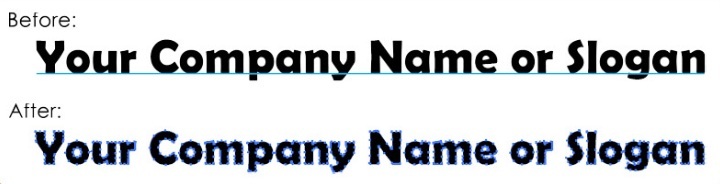
How To Convert Text To Outlines.
Do you want to print your company name, slogan, or a funny saying on your promotional items? Try to convert your text to an outline before sending in your file. This ensures that your font will stay exactly the way that you want it.
Are you not sure what all this means? Don’t worry! Our design team will take care of this process for you!
What Is Raster Vs. Vector Files.
The last thing you want is for your logo or design to look pixelated on your promotional items. That’s what happens with raster images, which are saved with the following file extensions: JPG, PNG, DOC or PDF.
Vector graphics, on the other hand, have a higher resolution, which means your logo or design can be resized without any blurriness. These images have to be created in design software like Adobe Illustrator or CorelDraw.
You don’t have to worry about creating vector graphics if you’ve never done it before. Our design team will vectorise your logo/design for you, at a cost however. Just send in your files any way you can, and we’ll look at your design and let you know if we can vector it for you. Otherwise, you will need to contact a professional graphic artist who will vectorise your artwork at a cheaper cost and better quality.
What Size Do I Want My Logo To Be.
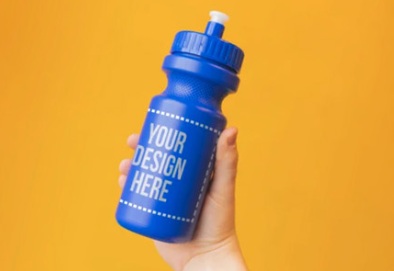
Once your artwork is approved, the next step is adding your unique design to your item of choice. Your artwork will be placed in a predetermined spot on your product known as the print area. The print area is determined by manufacturers as the best place to display your logo to ensure the highest quality.
By staying in the designated print area space, your design won’t look blurry, smudged, or cut off. For the same reason, we also require a minimum font size on each product. Certain items have a smaller print area than others. For instance, pens and stress balls have a smaller place to print your text or design than tote bags or umbrellas.
We’re Always Here To Help
Whether you’re a branding beginner or a promo pro, we’re available to answer your questions. Don’t hesitate to reach out to our customer service team if you need any help along the way, or if you just want someone to guide you through the process. We’re here to make sure your experience is nothing short of spectacular.